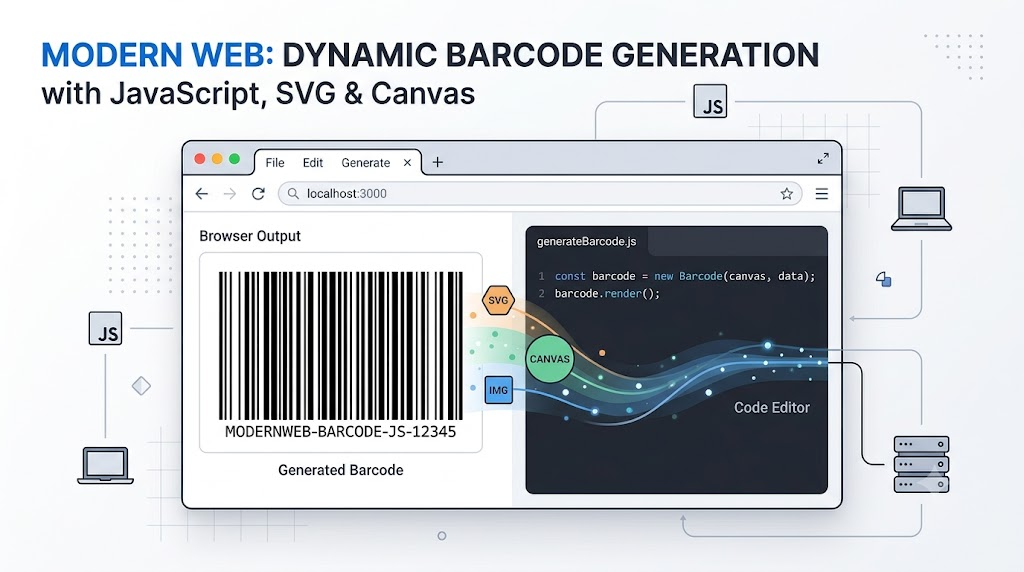
Barcodes feel old compared with QR codes, but they still solve a useful problem: turning short pieces of structured text into simple, machine-readable graphics.
With JavaScript, generating them is surprisingly easy. One of the most convenient libraries for this is JsBarcode, a browser-friendly barcode generator that supports SVG, Canvas, and image elements.
Why Use JsBarcode?
JsBarcode lets you create one-dimensional barcodes directly in the browser. You place an element on the page, load the library, and call one JavaScript function.
It supports several rendering targets:
<svg id="barcode"></svg>
<!-- or -->
<canvas id="barcode"></canvas>
<!-- or -->
<img id="barcode" alt="Generated barcode">
SVG is usually the best default for web pages because it stays sharp at any size. Canvas is useful when you need pixel-level control, and img is convenient when you want a reusable image source.
The Smallest Useful Barcode Example
Here is the core usage pattern. Place an SVG where the barcode should appear, then call JsBarcode() with a selector and the text to encode.
<svg id="barcode-basic"></svg>

<script>
JsBarcode("#barcode-basic", "iam zhangxinxu");
</script>
That is enough to render a basic barcode. The library finds the element, generates the bars, and inserts the result into the page.
This is the biggest reason JsBarcode is approachable: the first working version does not require configuration, build tools, or a complicated rendering pipeline.
Rendering to SVG, Canvas, and IMG
The demo also shows that the same idea works across multiple element types.
<svg id="barcode-svg"></svg>
<canvas id="barcode-canvas"></canvas>
<img id="barcode-img" alt="Generated barcode">

<script>
JsBarcode("#barcode-svg", "SVG-12345");
JsBarcode("#barcode-canvas", "CANVAS-12345");
JsBarcode("#barcode-img", "IMG-12345");
</script>
This flexibility matters in real projects. You might use SVG in a dashboard, Canvas in a custom editor, and img when exporting or reusing the generated barcode as a normal image.
Customizing Barcode Style
JsBarcode exposes practical styling options: bar width, height, text visibility, colors, margins, font size, and more.
A styled barcode call looks like this:
JsBarcode("#barcode-styled", "STYLE-2026", {
  width: 2,
  height: 100,
  displayValue: true,
  fontSize: 20,
  background: "#ffffff",
  lineColor: "#000000",
  margin: 10
});
These options are enough for most interface needs. For example, you can make dense product labels, large printable warehouse codes, or compact decorative codes.
In the demo, these options are connected to live controls so the user can adjust width, height, font size, line color, background color, and text visibility.
Common JsBarcode Options
Some of the most useful options include:
| Option | Default | Type |
|---|---|---|
format | "auto" | String |
width | 2 | Number |
height | 100 | Number |
displayValue | true | Boolean |
text | undefined | String |
font | "monospace" | String |
fontSize | 20 | Number |
background | "#ffffff" | CSS color |
lineColor | "#000000" | CSS color |
margin | 10 | Number |
valid | function(valid){} | Function |
The valid callback is especially useful because not every string can become every barcode format. Barcodes are not QR codes; they are better suited to relatively simple character sets such as numbers, English letters, and basic symbols.
Barcodes vs. QR Codes on the Web
QR codes are usually better when you need to encode URLs, Chinese characters, long text, or structured payloads. They are two-dimensional and can hold much more information.
Barcodes are different. They are one-dimensional, visually simpler, and often easier to blend into layouts. That simplicity opens up interesting interface possibilities.
For example, if the barcode height is reduced to only a few pixels, it starts to look like a decorative dashed line rather than a machine-readable code.
Turning a Barcode Into a Dashed Divider
The demo uses a generated barcode as a repeating background image. The trick is to render the barcode at one pixel tall, hide the text, remove margins, and use it as a CSS background.
const dividerPattern = barcodeDataUrl("ZHANGXINXU", {
  width: 1,
  height: 1,
  displayValue: false,
  margin: 0
});

document.getElementById("barcode-divider").style.backgroundImage =
  `url("${dividerPattern}")`;
Conceptually, this turns encoded text into a visual rhythm. To a reader, it looks like a designed divider. To the implementation, it is still derived from a barcode pattern.
This is not a robust watermarking system by itself. Once repeated, cropped, or compressed, recognition becomes difficult. But as a design experiment, it shows why one-dimensional codes can be interesting beyond product labels.
Barcode-Like Watermarks
The same idea can be pushed further. A thin barcode pattern can be blended into a stripe-based background, creating something closer to a subtle visual watermark.
document.getElementById("hidden-barcode").style.backgroundImage =
  `url("${barcodeDataUrl("WEB-WATERMARK", {
    width: 1,
    height: 10,
    displayValue: false,
    margin: 0,
    lineColor: "#1e293b",
    background: "transparent"
  })}")`;
This works because barcode graphics and striped backgrounds share a similar visual language: alternating dark and light segments. With careful styling, encoded patterns can be hidden inside ordinary interface decoration.
Generating QR Codes With JavaScript
For QR codes, a common option is qrcodejs. Its usage is also simple:
<div id="qrcode"></div>

<script>
new QRCode(
  document.getElementById("qrcode"),
  "https://www.zhangxinxu.com"
);
</script>
Use QR codes when you need more data capacity. Use barcodes when the content is short, structured, and benefits from a simpler one-dimensional shape.
Final Thoughts
Barcodes may not feel as fashionable as QR codes, but they are still useful on the Web. They are easy to generate, easy to style, and visually simple enough to become part of an interface rather than just a standalone graphic.
For product codes, labels, internal tools, printable pages, inventory systems, or even subtle design experiments, JsBarcode gives you a clean and practical starting point.
Try It Yourself
Want to see these concepts in action? I’ve created an interactive demo where you can experiment with the code and see real-time results.
Explore more demos from my previous articles in the Demo Gallery.
Happy coding!