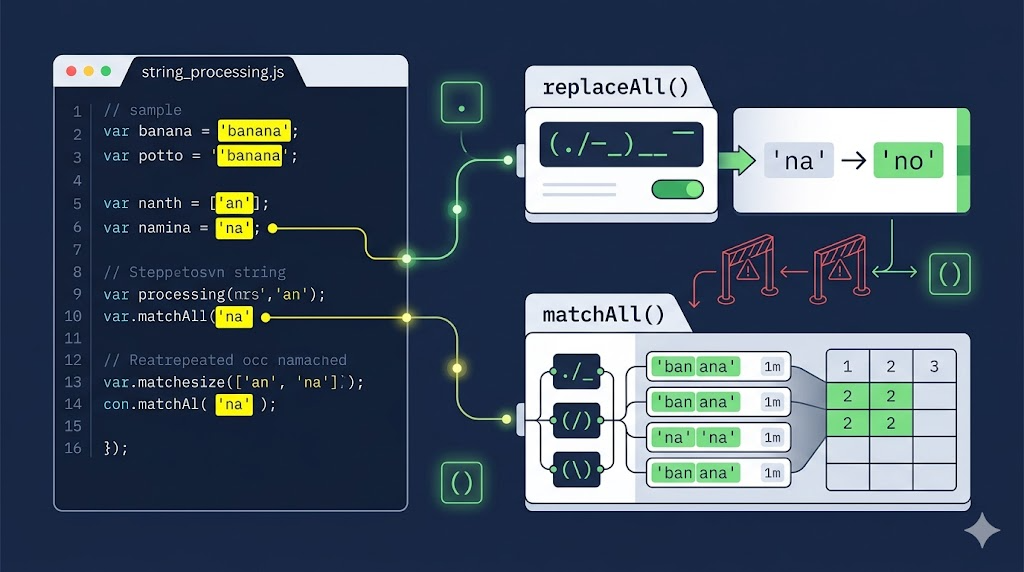
String processing in JavaScript looks simple until user input, repeated matches, regular expressions, and captured groups enter the room.
Two modern APIs help a lot here:
String.prototype.replaceAll()String.prototype.matchAll()
They are not complicated, but they do have details that are easy to miss. This guide walks through the practical cases: highlighting search results, avoiding dynamic RegExp traps, guarding empty strings, and extracting captured groups correctly.
First, replaceAll
Suppose we want to highlight every occurrence of 鑫 in the name 张鑫鑫.
At first glance, replace() looks good enough:
const name = '张鑫鑫';
const highlighted = name.replace('鑫', '<mark>鑫</mark>');

document.querySelector('#replace-first-output').innerHTML = highlighted;
But replace() with a string pattern only replaces the first match. The result is:
张<mark>鑫</mark>鑫
That is useful sometimes, but it is not what we want for search highlighting.
To replace every literal match, use replaceAll():
const text = document.querySelector('#replace-all-text').value;
const keyword = document.querySelector('#replace-all-keyword').value;

const highlighted = text.replaceAll(
  keyword,
  '<mark>' + keyword + '</mark>'
);

document.querySelector('#replace-all-output').innerHTML = highlighted;
Now every matching 鑫 is wrapped with <mark>.
Why Not Always Use RegExp?
Before replaceAll(), the common solution was a global regular expression:
name = name.replace(new RegExp('鑫', 'g'), '<mark>鑫</mark>');
That works, but it has two practical problems.
First, regular expressions are harder to read for beginners. Second, user input is not automatically safe as a RegExp pattern. A search keyword like . means “match any character,” and a keyword like ( can throw a syntax error unless escaped.
The demo handles that risk with try...catch:
const text = document.querySelector('#regex-text').value;
const keyword = document.querySelector('#regex-keyword').value;

try {
  const highlighted = text.replace(
    new RegExp(keyword, 'g'),
    '<mark>$&</mark>'
  );

  document.querySelector('#regex-output').classList.remove('error');
  document.querySelector('#regex-output').innerHTML = highlighted;
} catch (error) {
  document.querySelector('#regex-output').classList.add('error');
  document.querySelector('#regex-output').textContent =
    error.name + ': ' + error.message;
}
This example is useful because it shows the core tradeoff: RegExp is powerful, but user input becomes pattern syntax. If the user is searching for literal text, replaceAll() is usually simpler and clearer.
replaceAll Syntax and Details
The syntax is intentionally familiar:
replaceAll(pattern, replacement)
Like replace(), it supports both string patterns and regular expressions.
However, if the pattern is a regular expression, it must include the global g flag:
'hello world'.replaceAll(/\s/, '');
That throws:
TypeError: String.prototype.replaceAll called with a non-global RegExp argument
The correct version is:
'hello world'.replaceAll(/\s/g, '');
Watch Out for Empty Strings
replaceAll() can also match an empty string:
'张鑫旭'.replaceAll('', '_');
The result is:
_张_鑫_旭_
That behavior is valid, but dangerous in search highlighting. If the search box is empty and you blindly call replaceAll('', '<mark></mark>'), you will inject markup between every character.
A practical highlight function should guard against empty input:
const text = document.querySelector('#guard-text').value;
const keyword = document.querySelector('#guard-keyword').value;
const output = document.querySelector('#empty-guard-output');

if (keyword === '') {
  output.textContent = text;
} else {
  output.innerHTML = text.replaceAll(
    keyword,
    '<mark>' + keyword + '</mark>'
  );
}
This small check prevents a surprising amount of broken UI.
Now, matchAll
matchAll() solves a different problem.
The old match() method is fine when you only need the matched strings. But when your regular expression contains captured groups, match() with a global regex does not give you those groups directly.
Consider this string:
const str = "author's name is zxx";
const reg = /\s+([a-z]+)/g;
The pattern matches a space followed by lowercase letters. The parentheses capture the word itself.
Here is the demo comparison:
const str = document.querySelector('#match-text').value;
const reg = /\s+([a-z]+)/g;

const matchResult = str.match(reg);

const matchAllResult = Array.from(str.matchAll(reg)).map(item => ({
  fullMatch: item[0],
  capturedGroup: item[1],
  index: item.index
}));

document.querySelector('#match-groups-output').textContent =
  JSON.stringify({
    match: matchResult,
    matchAll: matchAllResult
  }, null, 2);
match() returns only the full matches:
[' name', ' is', ' zxx']
matchAll() returns an iterator. After converting it with Array.from(), each item includes:
- the full match
- captured groups
- the match index
- the original input
matchAll Syntax and Details
The syntax is:
matchAll(regexp)
The argument must be a regular expression with the global g flag:
'author name'.matchAll(/\s+([a-z]+)/);
That throws because the regex is not global.
Use this instead:
'author name'.matchAll(/\s+([a-z]+)/g);
Another useful detail: when there is no match, match() returns null, but matchAll() still returns an iterator. After conversion, it becomes an empty array:
Array.from('张鑫旭'.matchAll(/xyz/g));
// []
That consistency makes matchAll() easier to work with in pipelines because you can keep treating the result as an array.
Compatibility Notes
replaceAll() and matchAll() are widely supported in modern browsers, but legacy environments still matter. Internet Explorer does not support them, and old Chromium-based shells or older Android browsers may also be a problem.
For production apps with strict browser requirements, check your support matrix and consider a polyfill or fallback.
References: MDN replaceAll, Can I Use replaceAll, Chrome matchAll overview.
Conclusion
Use replaceAll() when you want to replace every literal string match. It is cleaner than building a dynamic RegExp, especially when the search keyword comes from user input.
Use matchAll() when you need every regex match plus captured groups and indexes. It is especially useful when parsing structured text.
The short version:
replace()    -> first string match, or regex-based replacement
replaceAll() -> every literal match, or every global regex match
match()      -> simple regex matches
matchAll()   -> regex matches with captured groups and metadata
Regular expressions are still worth learning. But when the task is literal string replacement, replaceAll() lets you write the code you meant in the first place.
Try It Yourself
Want to see these concepts in action? I’ve created an interactive demo where you can experiment with the code and see real-time results.
Explore more demos from my previous articles in the Demo Gallery.
Happy coding!