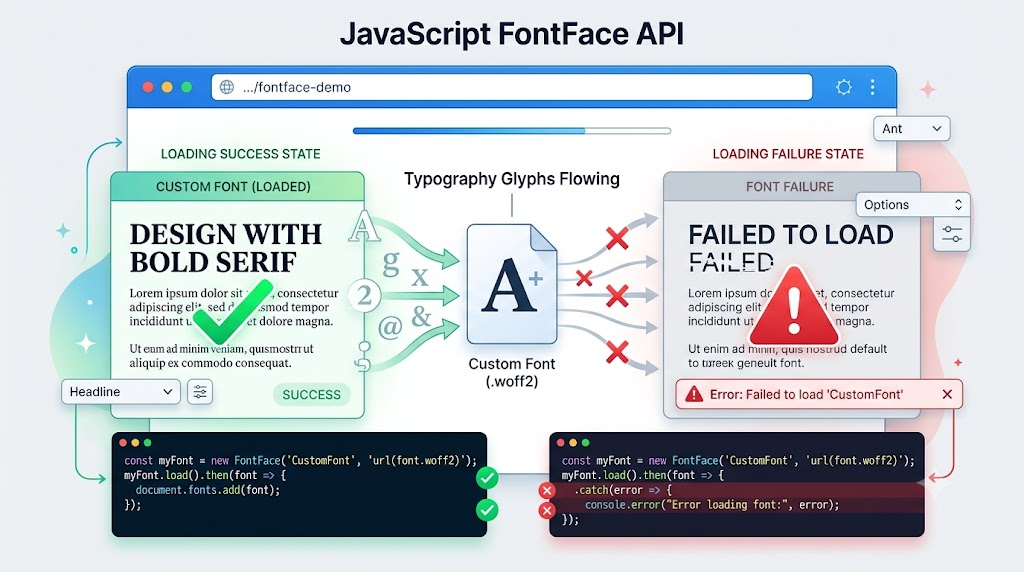
Custom fonts can make an interface feel polished, but they also introduce a timing problem: the browser may render text before the font file has finished loading.
When that happens, users may briefly see fallback glyphs, missing symbols, incorrect Unicode mappings, or other visual glitches. In some cases, developers also need to know when a font request fails so they can report the error, switch to a fallback, or avoid rendering text that depends on that font.
The browser’s native FontFace API gives us a JavaScript-controlled way to load fonts and detect whether the load succeeds or fails.
The Basic FontFace Loading Pattern
The simplest use case is: create a FontFace instance, call load(), and handle the returned Promise.
Here is the core pattern from the demo:
if (window.FontFace) {
  var fontUrl = fontUrlInput.value;
  var fontFile = new FontFace(
    'Demo Loaded Font',
    'url(' + fontUrl + ')'
  );

  log.textContent = 'Loading... current status: ' + fontFile.status;

  fontFile.load().then(function () {
    document.fonts.add(fontFile);
    preview.style.fontFamily =
      'Demo Loaded Font, system-ui, sans-serif';
    log.textContent = 'Success';
  }, function (err) {
    preview.style.fontFamily = 'system-ui, sans-serif';
    log.textContent = 'Failed: ' + String(err);
  });
}
There are three important details here.
First, the window.FontFace check prevents errors in browsers that do not support the API. Second, fontFile.load() starts the actual font loading process. Third, after the font loads successfully, we add it to document.fonts before applying it to the preview element.
Without document.fonts.add(fontFile), the font may load successfully, but the page will not necessarily use it for rendering.
Why This Is Better Than Waiting for CSS
CSS @font-face is declarative. That is usually convenient, but it gives JavaScript less control over timing and error handling.
With the FontFace API, we can decide exactly when to start loading, what UI state to show while loading, and what to do if loading fails.
Reading the Loaded FontFace Object
When load() succeeds, the Promise resolves with the current FontFace object. That means you can inspect the loaded font directly.
var fontFile = new FontFace(
  'Readable Demo Font',
  'local("Arial")'
);

output.textContent = 'Loading...';

fontFile.load().then(function (fontface) {
  output.textContent = fontface.family;
}, function (err) {
  output.textContent = 'Failed: ' + err;
});
In this example, the resolved fontface object exposes the configured family name. The demo prints:
Readable Demo Font
This is useful when you are building debugging tools, font testing interfaces, or dynamic font-loading workflows where the selected font may change at runtime.
Inspecting Status and FontFace Properties
The FontFace interface also exposes useful properties that map closely to CSS @font-face descriptors.
For example:
| FontFace API | CSS Equivalent |
|---|---|
FontFace.display | font-display |
FontFace.family | font-family |
FontFace.featureSettings | font-feature-settings |
FontFace.stretch | font-stretch |
FontFace.style | font-style |
FontFace.unicodeRange | unicode-range |
FontFace.variant | font-variant |
FontFace.variationSettings | font-variation-settings |
FontFace.weight | font-weight |
FontFace.ascentOverride | ascent-override |
FontFace.descentOverride | descent-override |
FontFace.lineGapOverride | line-gap-override |
The status property is especially useful. It can be one of:
"unloaded"
"loading"
"loaded"
"error"
Here is a focused version from the demo:
var fontFile = new FontFace(
  'Configured Demo Font',
  'local("Arial")',
  {
    style: 'italic',
    weight: '700',
    display: 'swap',
    stretch: 'normal'
  }
);

before.textContent = fontFile.status;

fontFile.load().then(function () {
  after.textContent = fontFile.status;
  family.textContent = fontFile.family;
  display.textContent = fontFile.display;
});
Before load() runs, the status is usually "unloaded". After a successful load, it becomes "loaded". If the font cannot be fetched or parsed, it becomes "error".
Using FontFace.loaded
The API also provides a read-only loaded Promise:
var fontFile = new FontFace(
  'Promise Demo Font',
  sourceSelect.value
);

statusLog.textContent = 'Initial status: ' + fontFile.status;

fontFile.loaded.then(function () {
  statusLog.textContent +=
    '\nloaded promise resolved: ' + fontFile.status;
}, function () {
  statusLog.textContent +=
    '\nloaded promise rejected: ' + fontFile.status;
});

fontFile.load();
statusLog.textContent +=
  '\nAfter load() call: ' + fontFile.status;
In practice, load() is usually the more direct API because it both starts loading and gives you a Promise. The loaded property is useful when you already have a FontFace object and want to observe its final loaded or error state.
Fallback for Older Browsers
If you need to support older browsers that do not have FontFace, you can still approximate the behavior by requesting the font file manually.
var xhr = new XMLHttpRequest();

xhr.open('get', requestUrl.value);

xhr.onload = function () {
  xhrLog.textContent =
    'Loaded successfully! HTTP ' + xhr.status;
};

xhr.onerror = function () {
  xhrLog.textContent = 'Failed to load!';
};

xhr.send();
This does not give you the same font-specific API surface, but it can still tell you whether the font resource was reachable. For older environments, that may be enough to trigger fallback logic or report a loading error.
Final Thoughts
The FontFace API is a practical tool whenever font loading state matters. It lets you start loading fonts from JavaScript, detect success or failure, inspect status, and apply a font only after it is ready.
For simple static sites, CSS @font-face may be enough. But for demos, editors, icon-font systems, font pickers, dynamic text rendering, or error reporting, FontFace gives you the control that CSS alone does not.
Try It Yourself
Want to see these concepts in action? I’ve created an interactive demo where you can experiment with the code and see real-time results.
Explore more demos from my previous articles in the Demo Gallery.
Happy coding!