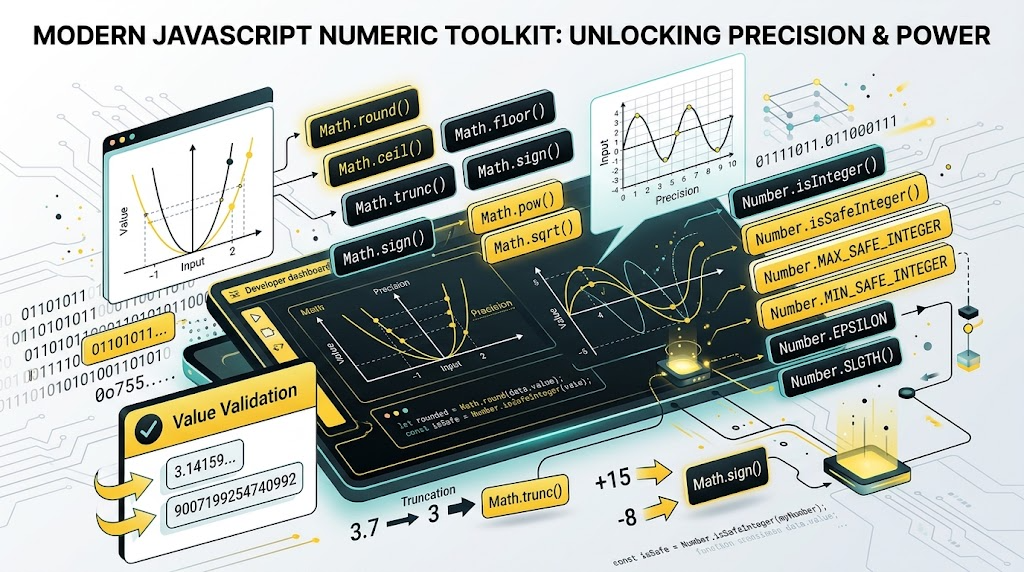
JavaScript numbers look simple at first: one Number type, one global Math object, and a handful of familiar methods like Math.round(), Math.floor(), and parseInt().
ES6 made that picture much richer.
It added new Math methods for sign detection, truncation, logarithms, 32-bit integer operations, hyperbolic functions, and safer floating-point handling. It also added Number utilities that make numeric validation more predictable than older global functions like isNaN() and isFinite().
This article walks through the most useful ES6 numeric features, explains where they matter, and shows how you might present them in a small interactive demo.
Why ES6 Added More Numeric Tools
Before ES6, JavaScript developers often had to combine older APIs or write small utility functions for common numeric tasks. For example:
- Detecting whether a value was truly
NaN - Comparing floating-point results safely
- Removing decimal fractions without rounding
- Working with 32-bit integer multiplication
- Calculating geometric distances
- Parsing binary and octal-style values
ES6 did not change JavaScript’s underlying number model: numbers are still double-precision floating-point values by default. But it did add clearer, more explicit tools for the cases developers hit often.
The New Math Utility Methods
The ES6 Math additions cover several categories: sign checks, integer-like conversion, roots, logarithms, single-precision rounding, bit-level operations, geometry helpers, and hyperbolic functions.
Let’s start with the most practical ones.
Math.sign(): Detecting Number Direction
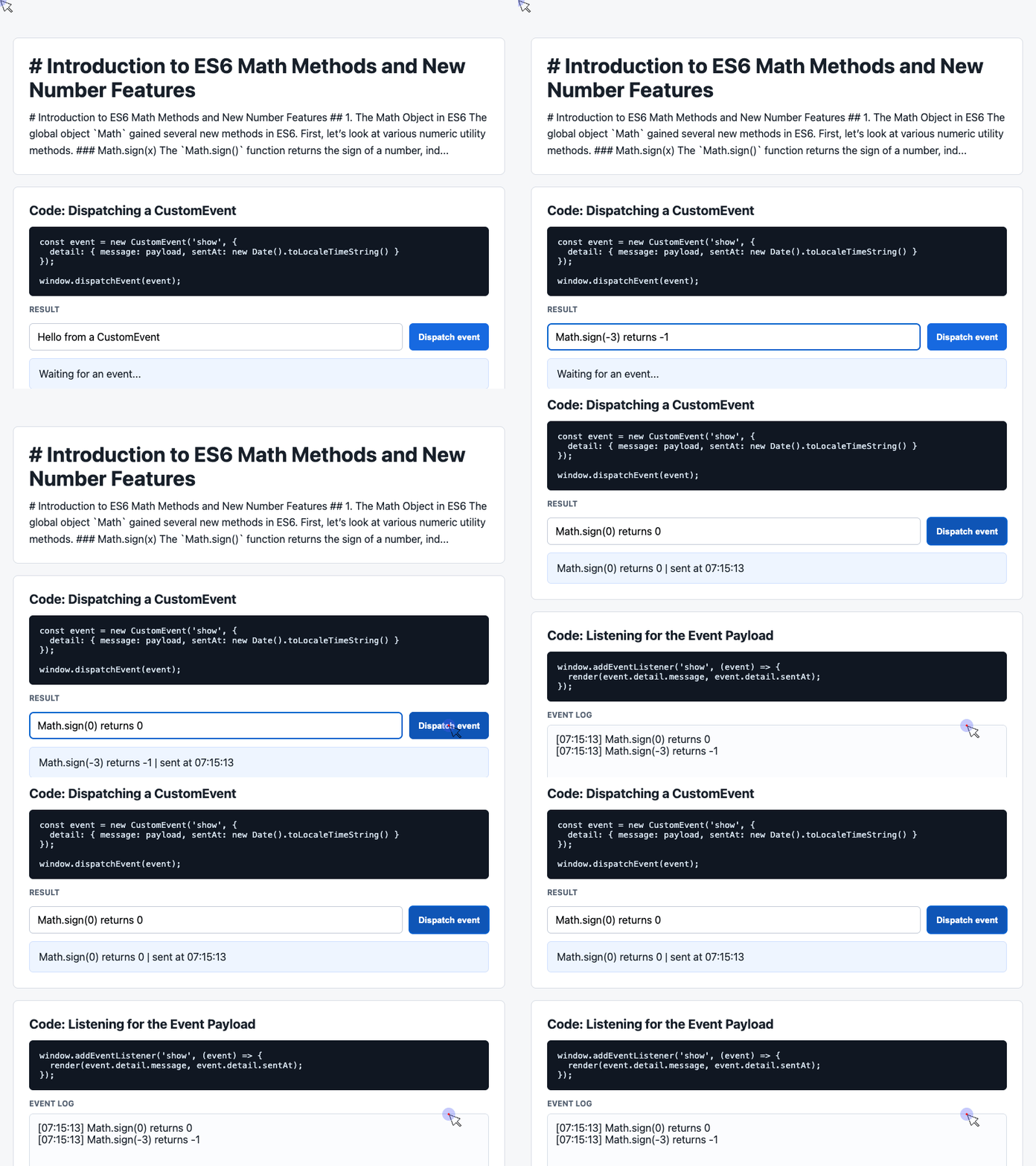
Math.sign() returns the sign of a number:
Math.sign(3);         // 1
Math.sign(-3);        // -1
Math.sign(0);         // 0
Math.sign(-0);        // -0
Math.sign(NaN);       // NaN
Math.sign("foo");     // NaN
The method first converts the argument to a number. That means string values like "-3" are treated as numbers:
Math.sign("-3"); // -1This is useful when you only care whether a value is positive, negative, zero, or invalid.
Math.trunc(): Removing the Fractional Part
Math.trunc() removes everything after the decimal point. It does not round.
Math.trunc(13.37);    // 13
Math.trunc(42.84);    // 42
Math.trunc(-0.123);   // -0
Math.trunc("-1.123"); // -1
Math.trunc("foo");    // NaN
The important difference is that Math.trunc() behaves consistently for positive and negative numbers. It simply cuts off the fractional part.
Compare that with rounding methods:
Math.floor(-1.8); // -2
Math.ceil(-1.8);  // -1
Math.round(-1.8); // -2
Math.trunc(-1.8); // -1
For UI input, pagination, numeric normalization, or quick integer extraction, Math.trunc() often communicates intent better than clever combinations of older methods.
Building a Small Demo Shell
A technical article becomes easier to understand when readers can see code produce visible output. The provided demo code uses a compact HTML page layout with sections, controls, and result areas.
Here is the core HTML structure extracted from the demo:
<main>
  <section>
    <h1>Introduction to ES6 Math Methods and Number Features</h1>
    <p>Explore practical examples of modern JavaScript numeric APIs.</p>
  </section>

  <section>
    <h2>Code: Dispatching a CustomEvent</h2>
    <pre><code>const event = new CustomEvent('show', {
  detail: { message: payload, sentAt: new Date().toLocaleTimeString() }
});</code></pre>

    <div class="showcase">
      <div class="controls">
        <input id="payload" value="Hello from a CustomEvent">
        <button id="dispatch">Dispatch event</button>
      </div>
      <div class="event-card" id="latest">Waiting for an event...</div>
    </div>
  </section>
</main>
This pattern is useful for demonstrating math APIs too: put a focused code sample above, then place a live result below it. For example, the same structure could show how Math.sign() responds to positive, negative, zero, and invalid values.
🎮 Try it live: Open the interactive demo to experience this yourself.
Math.cbrt(): Cube Roots Without Manual Powers
Math.cbrt() returns the cube root of a number:
Math.cbrt(8);         // 2
Math.cbrt(-1);        // -1
Math.cbrt(0);         // 0
Math.cbrt(Infinity);  // Infinity
Math.cbrt(null);      // 0
Math.cbrt(2);         // 1.2599210498948734
Before ES6, developers often used Math.pow(x, 1 / 3). Math.cbrt() is clearer and handles negative numbers directly.
Math.expm1() and Math.log1p(): Precision for Small Values
Two ES6 methods are designed for numerical precision:
Math.expm1(x); // Equivalent to Math.exp(x) - 1
Math.log1p(x); // Equivalent to Math.log(1 + x)
At first, these may look unnecessary. But they matter when x is very small.
Math.expm1(1e-10);
// 1.00000000005e-10

Math.exp(1e-10) - 1;
// 1.000000082740371e-10
The second result loses precision because Math.exp(x) is extremely close to 1. Subtracting 1 from a nearly identical floating-point value can magnify rounding errors.
Math.log1p() solves the related problem for logarithms:
Math.log1p(1);  // 0.6931471805599453
Math.log1p(0);  // 0
Math.log1p(-1); // -Infinity
Math.log1p(-2); // NaN
These methods are especially useful in finance, statistics, scientific computing, and any domain where tiny deltas matter.
Styling the Demo Output
The provided demo uses a clean, readable layout. The CSS keeps the article-like page centered, separates examples into sections, and gives output areas enough visual contrast.
main {
  max-width: 920px;
  margin: 0 auto;
  padding: 40px 20px 56px;
}

section {
  background: #fff;
  border: 1px solid #d9dde5;
  border-radius: 8px;
  padding: 24px;
  margin-top: 18px;
}

pre {
  overflow: auto;
  background: #101722;
  color: #d9e6f2;
  border-radius: 6px;
  padding: 16px;
}
This is a good structure for teaching numeric APIs because each method can have its own isolated example. The pre block shows the code, and the result card below it shows what happens when the code runs.
🎮 Try it live: Open the interactive demo to experience this yourself.
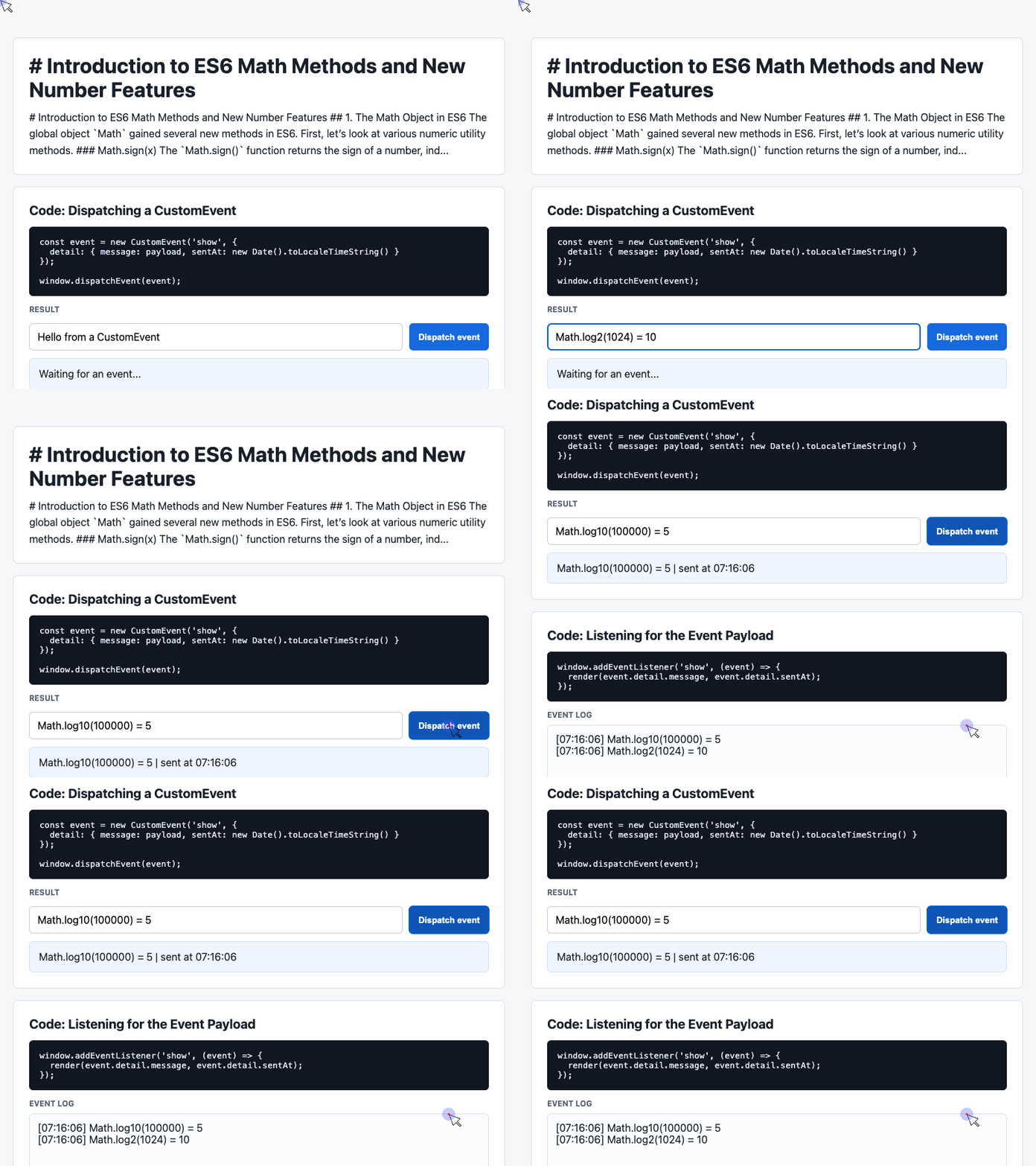
Math.log2() and Math.log10()
ES6 also added base-specific logarithm helpers.
Math.log2(8);    // 3
Math.log2(1024); // 10

Math.log10(100);    // 2
Math.log10(100000); // 5
These are easier to read than writing manual conversions with Math.log().
Math.log(x) * Math.LOG2E;
Math.log(x) * Math.LOG10E;
Use Math.log2() when working with powers of two, memory sizes, binary trees, or bit-related calculations. Use Math.log10() when working with decimal scale, digit counts, or scientific notation.
Math.fround(): Converting to 32-Bit Float Precision
JavaScript numbers are normally 64-bit floating-point values. Math.fround() rounds a number to the nearest 32-bit single-precision float.
Math.fround(1.5);         // 1.5
Math.fround(1.337);       // 1.3370000123977661

Math.fround(1.5) === 1.5;   // true
Math.fround(1.337) === 1.337; // false
This matters when your data comes from APIs like Float32Array, WebGL, binary formats, or lower-level numeric systems.
If the value is too large for a 32-bit float, the result becomes Infinity:
Math.fround(2 ** 150); // InfinityMath.imul(): C-Like 32-Bit Integer Multiplication
Math.imul() multiplies two 32-bit integers and returns a 32-bit result.
Math.imul(2, 4);          // 8
Math.imul(-1, 8);         // -8
Math.imul(-2, -2);        // 4
Math.imul(0xffffffff, 5); // -5
This method is useful for low-level algorithms, hashing, compiled-to-JavaScript systems, and cases where normal JavaScript multiplication can lose lower-order bits for large 32-bit values.
Math.clz32(): Counting Leading Zero Bits
Math.clz32() means “count leading zeroes in 32 bits.”
Math.clz32(1);    // 31
Math.clz32(4);    // 29
Math.clz32(1000); // 22
Math.clz32();     // 32
It converts the argument to a 32-bit unsigned integer first. If the result is 0, all 32 bits are zero, so it returns 32.
This is not something most application code needs every day, but it is valuable in performance-sensitive bit manipulation and code generated by tools like Emscripten.
Math.hypot(): Distance Made Readable
Math.hypot() returns the square root of the sum of squares:
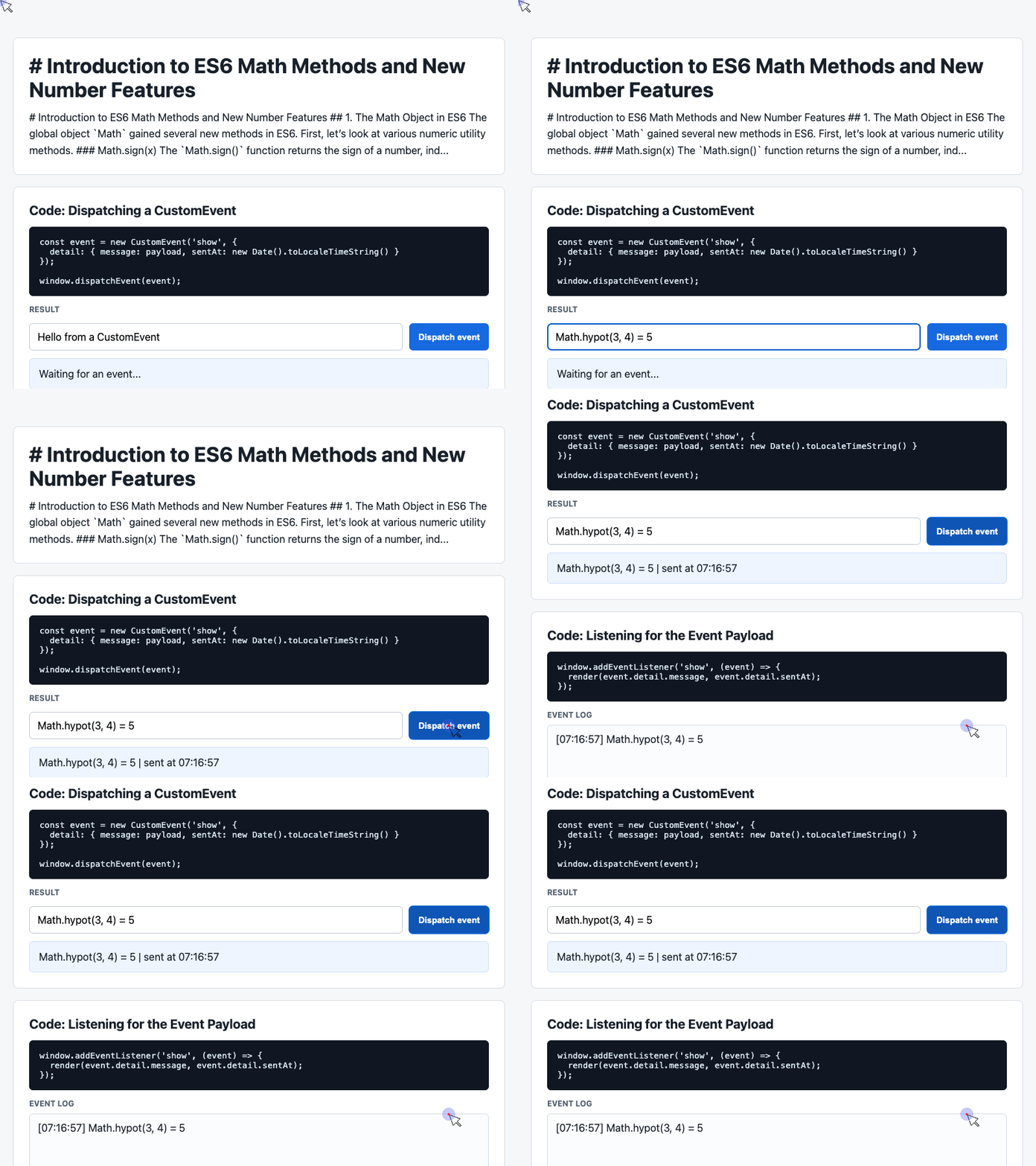
Math.hypot(3, 4);        // 5
Math.hypot(3, 4, 5);     // 7.0710678118654755
Math.hypot();            // 0
Math.hypot(-3);          // 3
A common use case is calculating the distance between two points:
const distance = Math.hypot(y2 - y1, x2 - x1);That reads much better than writing the formula manually:
const distance = Math.sqrt((y2 - y1) ** 2 + (x2 - x1) ** 2);Using Events to Update Demo Results
The demo code uses CustomEvent to send data from a button click to a listener. This is a practical way to separate user interaction from rendering logic.
document.querySelector('#dispatch').addEventListener('click', () => {
  const message = input.value.trim() || 'Default CustomEvent payload';

  const event = new CustomEvent('show', {
    detail: {
      message,
      sentAt: new Date().toLocaleTimeString()
    }
  });

  window.dispatchEvent(event);
});
In a math-focused demo, the message could be replaced with a computed result, such as Math.trunc(inputValue), Math.sign(inputValue), or Math.hypot(dx, dy).
The important idea is the same: collect input, calculate a value, and dispatch the result for display.
🎮 Try it live: Open the interactive demo to experience this yourself.
Hyperbolic Math Methods
ES6 also added hyperbolic functions:
Math.sinh(1);  // 1.1752011936438014
Math.cosh(1);  // 1.543080634815244
Math.tanh(1);  // 0.7615941559557649
And their inverse forms:
Math.asinh(1);  // 0.881373587019543
Math.acosh(2);  // 1.3169578969248166
Math.atanh(0.5); // 0.5493061443340548
These are less common in everyday UI or backend code, but they are useful in mathematical modeling, physics, graphics, and scientific applications.
ES6 Number Methods
The Number object also gained safer validation helpers.
Number.isFinite()
Number.isFinite() checks whether a value is a finite number. Unlike the global isFinite(), it does not coerce non-number values.
Number.isFinite(Infinity);  // false
Number.isFinite(NaN);       // false
Number.isFinite(-Infinity); // false
Number.isFinite(0);         // true
Number.isFinite(2e64);      // true

Number.isFinite('0');       // false
Number.isFinite(null);      // false
This is usually what you want when validating user input after explicit conversion.
Number.isNaN()
Number.isNaN() checks whether a value is actually the numeric value NaN.
Number.isNaN(NaN);        // true
Number.isNaN(Number.NaN); // true
Number.isNaN(0 / 0);      // true

Number.isNaN('NaN');      // false
Number.isNaN(undefined);  // false
Number.isNaN({});         // false
Number.isNaN('blabla');   // false
The older global isNaN() coerces values before checking them, which can produce surprising results. Number.isNaN() avoids that.
Rendering the Event Log
The demo keeps a small history of dispatched events and renders the most recent entries.
window.addEventListener('show', (event) => {
  const detail = event.detail || {};

  latest.textContent = detail.message + ' | sent at ' + detail.sentAt;

  history.unshift('[' + detail.sentAt + '] ' + detail.message);
  log.textContent = history.slice(0, 6).join('\n');
});
For a numeric API playground, this same pattern could log each calculation:
[10:42:01] Math.sign(-3) -> -1
[10:42:05] Math.trunc(13.37) -> 13
[10:42:09] Math.hypot(3, 4) -> 5
That turns isolated examples into an interactive learning tool where readers can compare results over time.
Number.EPSILON: Comparing Floating-Point Values
One of the most famous JavaScript number examples is this:
0.1 + 0.2 === 0.3; // falseThe result is false because decimal fractions like 0.1 and 0.2 cannot be represented exactly in binary floating-point.
Number.EPSILON gives you a tiny threshold for comparison:
function epsEqual(x, y) {
  return Math.abs(x - y) < Number.EPSILON;
}

epsEqual(0.1 + 0.2, 0.3); // true
This is not a universal equality function for every numeric domain, but it is a useful starting point when comparing very small floating-point differences.
Number.isInteger() and Safe Integers
Number.isInteger() checks whether a value is a number with no fractional part.
Number.isInteger(0);       // true
Number.isInteger(1);       // true
Number.isInteger(5.0);     // true
Number.isInteger(0.1);     // false
Number.isInteger(Math.PI); // false
Number.isInteger('10');    // false
ES6 also introduced safe integer checks:
Number.MAX_SAFE_INTEGER; // 9007199254740991
Number.MIN_SAFE_INTEGER; // -9007199254740991

Number.isSafeInteger(3);                   // true
Number.isSafeInteger(Math.pow(2, 53));     // false
Number.isSafeInteger(Math.pow(2, 53) - 1); // true
Number.isSafeInteger(3.1);                 // false
A “safe integer” is an integer that JavaScript can represent precisely. Once numbers move beyond that range, integer comparisons and arithmetic may become unreliable.
Binary and Octal Numeric Literals
ES6 introduced binary and octal numeric literal syntax:
0xFF; // 255, hexadecimal
0b11; // 3, binary
0o10; // 8, octal
However, parseInt() was not upgraded to understand binary and octal prefixes in the same way:
parseInt('0b111');    // 0
parseInt('0o10');     // 0

Number('0b111');      // 7
Number('0o10');       // 8
Use Number() when you want to convert prefixed binary or octal strings directly.
Final Thoughts
ES6’s numeric additions make JavaScript math code clearer, safer, and more precise.
For everyday development, the methods you are most likely to use are:
Math.sign()Math.trunc()Math.hypot()Number.isFinite()Number.isNaN()Number.isInteger()Number.isSafeInteger()Number.EPSILON
The more specialized methods, such as Math.imul(), Math.clz32(), Math.fround(), and the hyperbolic functions, are still worth knowing. You may not need them often, but when you do, they solve problems that older JavaScript APIs handled awkwardly.
Try It Yourself
Want to see these concepts in action? I’ve created an interactive demo where you can experiment with the code and see real-time results.
Explore more demos from my previous articles in the Demo Gallery.
Happy coding!