Based on the article by zhangxinxu, published September 3, 2026. Original source: https://www.zhangxinxu.com/wordpress/?p=12379
For years, IndexedDB has been the default answer whenever frontend developers needed persistent browser storage beyond localStorage. It can store objects, blobs, buffers, and structured data. It works in workers. It is broadly supported.
But for one category of work, IndexedDB is no longer the best fit:
large file reads and writes.
If you are caching fonts, audio segments, video chunks, generated binary files, local drafts, or WebAssembly database files, you should seriously consider OPFS, the Origin Private File System.
OPFS gives your web app a private, persistent file system through:
navigator.storage.getDirectory()It is not a user-visible folder. It is not the same as letting users pick files from their desktop. It is a browser-managed, origin-scoped storage area designed for file-like data.
And for large files, that distinction matters.
The Browser Storage Landscape
Before focusing on OPFS, it helps to place it beside the usual browser storage options.
| Storage | Best For | Main Limitation |
|---|---|---|
| Cookies | Server-readable session identifiers | Tiny size and sent with requests |
localStorage | Small string preferences | Synchronous and string-only |
sessionStorage | Temporary per-tab state | Cleared when the tab closes |
| IndexedDB | Structured records and queryable data | Verbose API and overhead for large blobs |
| OPFS | Large private files and binary data | No indexes or query engine |
IndexedDB is still useful. If you need object stores, indexes, transactions, or queryable records, it remains the right tool.
But if your data is naturally a file, OPFS is often simpler and faster.
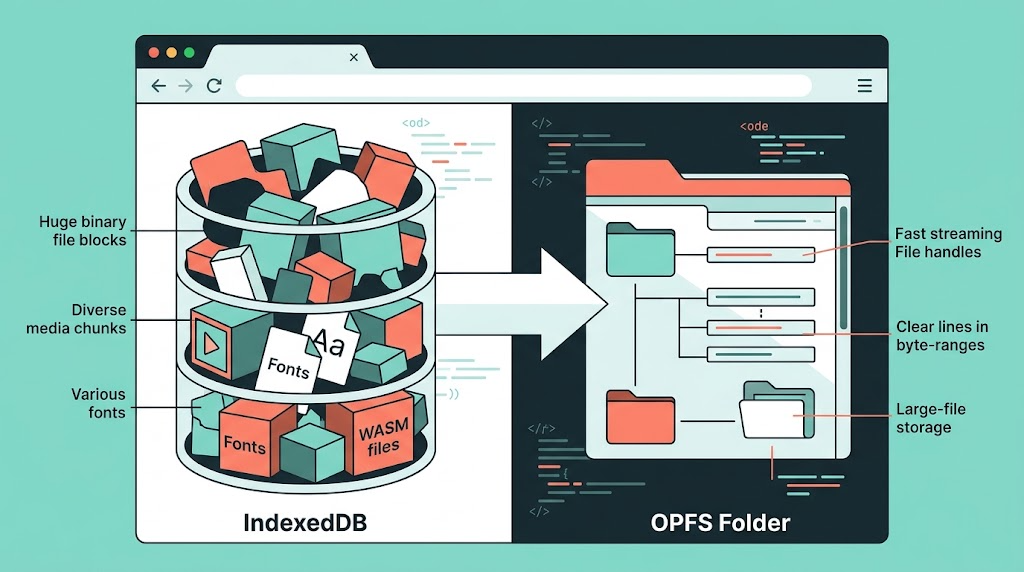
Why OPFS Fits Large Files Better
IndexedDB stores data as records. That is great for structured data, but awkward for file-like workflows.
Large blobs in IndexedDB can involve structured clone overhead. Appending to a file is not natural. Reading byte ranges is not the core abstraction.
OPFS, by contrast, gives you file handles.
You can create a file, write to it, read it back, append to it, or stream binary data into it. That makes it a much better mental model for assets like fonts, media files, local exports, or generated payloads.
A common example is a Chinese font file. A complete font may be several megabytes, even after WOFF2 compression. Historically, shipping that globally on the web felt expensive. But if the first visit downloads and stores it locally, later visits can load it from the browser’s private file system with no repeat network request.
Example 1: Checking OPFS Support and Storage Quota
Before using OPFS, check whether the browser supports it and inspect the available origin quota.
function bytesToLabel(bytes) {
  if (!Number.isFinite(bytes)) return "unknown";

  const units = ["B", "KB", "MB", "GB"];
  let value = bytes;
  let unit = 0;

  while (value >= 1024 && unit < units.length - 1) {
    value /= 1024;
    unit += 1;
  }

  return `${value.toFixed(value >= 10 || unit === 0 ? 0 : 1)} ${units[unit]}`;
}

async function demoEstimateStorage(output) {
  const supportsOPFS = Boolean(
    navigator.storage && navigator.storage.getDirectory
  );

  const estimate = await navigator.storage.estimate();
  const persisted = await navigator.storage.persisted();

  output.textContent = [
    `OPFS supported: ${supportsOPFS}`,
    `Storage quota:  ${bytesToLabel(estimate.quota)}`,
    `Storage usage:  ${bytesToLabel(estimate.usage)}`,
    `Persisted:      ${persisted}`
  ].join("\n");
}
This gives you a practical runtime check instead of assuming the API exists. It also makes quota visible, which matters when storing large binary files.
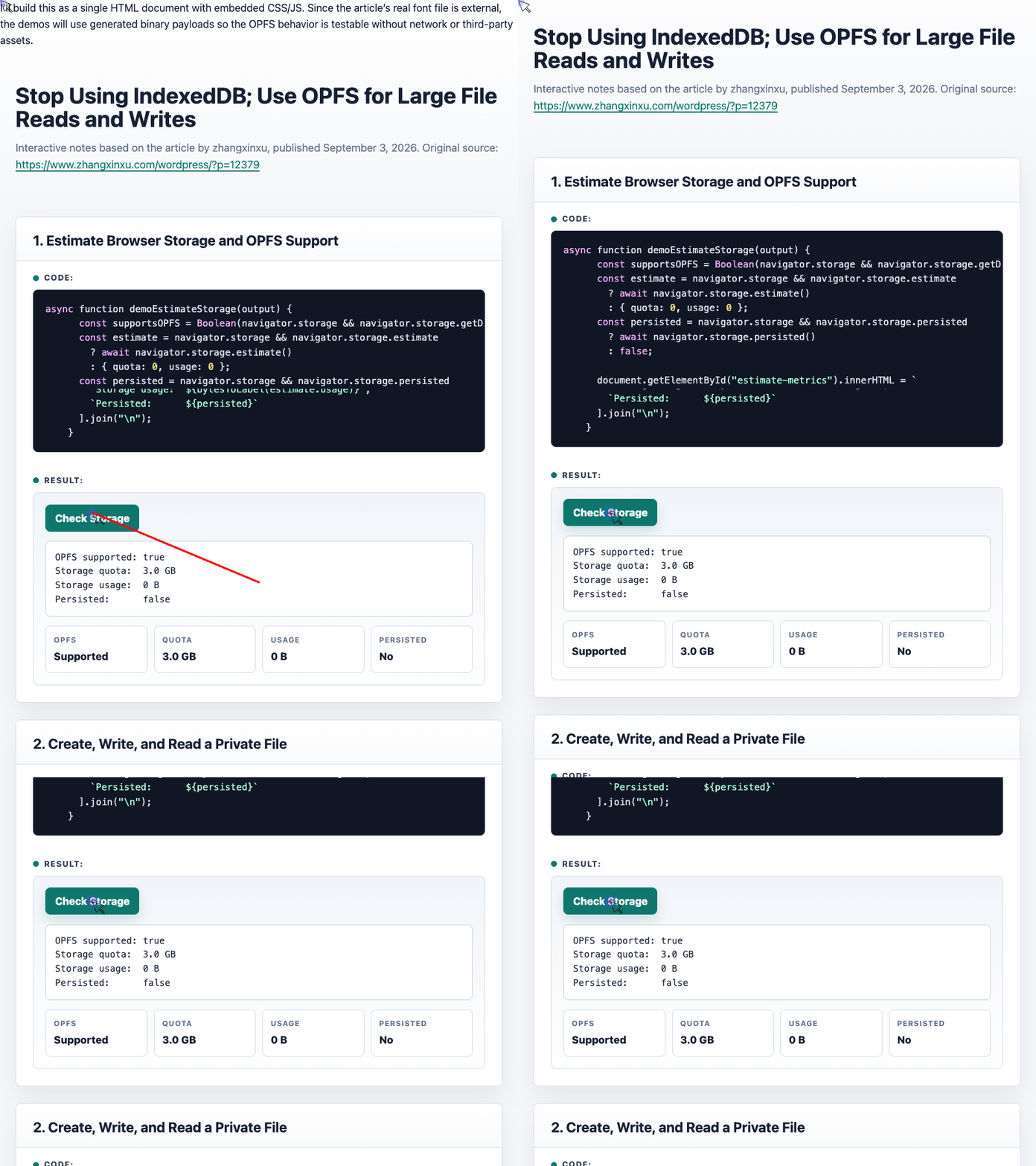
🎮 Try it live: Open the interactive demo to experience this yourself.
Example 2: Creating, Writing, and Reading a Private File
The basic OPFS workflow is refreshingly direct:
- Open the origin’s private directory.
- Create or access a file handle.
- Write data.
- Read it back.
function requireOPFS() {
  if (!navigator.storage || !navigator.storage.getDirectory) {
    throw new Error(
      "OPFS is not available. Try HTTPS or localhost in a modern browser."
    );
  }
}

async function demoWriteReadText(output) {
  requireOPFS();

  const root = await navigator.storage.getDirectory();
  const handle = await root.getFileHandle("opfs-demo-note.txt", {
    create: true
  });

  const writable = await handle.createWritable();

  await writable.write(`Saved in OPFS at ${new Date().toLocaleString()}`);
  await writable.close();

  const file = await handle.getFile();

  output.textContent = [
    `File name: ${file.name}`,
    `File size: ${file.size} bytes`,
    "",
    await file.text()
  ].join("\n");
}
Compared with IndexedDB, this is much closer to normal file programming. There is no database version upgrade ceremony, no object store setup, and no transaction boilerplate for simple file persistence.
🎮 Try it live: Open the interactive demo to experience this yourself.
Example 3: Caching a Large Binary Payload
The real strength of OPFS appears when you handle larger binary data.
The original article uses the example of caching a WOFF2 Chinese font. The demo below uses a generated 3 MB binary payload so the behavior can be tested without relying on an external font file.
async function demoBinaryCache(output) {
  requireOPFS();

  const started = performance.now();
  const root = await navigator.storage.getDirectory();
  const key = "opfs-demo-generated-font-like-payload.bin";

  let file;
  let source;

  try {
    const handle = await root.getFileHandle(key);
    file = await handle.getFile();
    source = "OPFS cache hit";
  } catch {
    const bytes = new Uint8Array(3 * 1024 * 1024);
    crypto.getRandomValues(bytes);

    const handle = await root.getFileHandle(key, { create: true });

    await new Blob([bytes])
      .stream()
      .pipeTo(await handle.createWritable());

    file = await handle.getFile();
    source = "Generated and written to OPFS";
  }

  const elapsed = Math.round(performance.now() - started);

  output.textContent = [
    source,
    `File name: ${file.name}`,
    `File size: ${bytesToLabel(file.size)}`,
    `Elapsed: ${elapsed} ms`
  ].join("\n");
}
The first run creates and writes the binary file. Later runs read it directly from OPFS.
That is the exact pattern you want for large static assets:
- First visit: fetch or generate the file.
- Store it in OPFS.
- Later visits: read locally.
- Avoid repeated network cost.
🎮 Try it live: Open the interactive demo to experience this yourself.
OPFS vs. File System Access API
OPFS is often confused with the File System Access API, but they solve different problems.
OPFS is private app storage. The user does not choose a file. The browser manages the storage area. Your app reads and writes files silently inside its own origin sandbox.
The File System Access API is for user-selected files on the real operating system. It requires a user gesture, opens a picker, and gives your app access to files or folders the user explicitly selected.
| Feature | OPFS | File System Access API |
|---|---|---|
| File location | Browser-managed private storage | Real user-visible disk location |
| User picker required | No | Yes |
| Best for | App cache, large private files, drafts | Editors, IDEs, user documents |
| Permissions | Origin-scoped browser storage | User-granted OS file access |
| Quota | Browser origin quota | Mostly OS disk limits |
| Browser support | Modern browsers | Mostly Chromium-based browsers |
When You Should Still Use IndexedDB
The title says “stop using IndexedDB,” but the practical rule is more specific:
Stop using IndexedDB as a file system.
Use IndexedDB when you need:
- structured records
- indexes
- searchable data
- object stores
- transactional updates across records
- complex app state
Use OPFS when you need:
- large binary files
- cached fonts
- audio or video chunks
- local generated files
- append-style writes
- byte-level file operations
- WebAssembly database files
IndexedDB is a database-shaped API. OPFS is a file-shaped API.
Choosing correctly saves code, memory, and complexity.
The Bottom Line
For persistent storage of large files in modern web apps, OPFS is the better default.
It is simpler than IndexedDB for file workflows, maps naturally to binary data, supports stream-based writes, and avoids treating every large asset like a database record.
IndexedDB still has its place. But if all you need is “store this large file and read it later,” reach for:
const root = await navigator.storage.getDirectory();That one line opens a much better path for large local file storage on the web.
Try It Yourself
Want to see these concepts in action? I’ve created an interactive demo where you can experiment with the code and see real-time results.
Explore more demos from my previous articles in the Demo Gallery.
Happy coding!